How it works
A meet day with Long Whistle, from warm-up to the drive home.
1 · Before the race
Set the goal
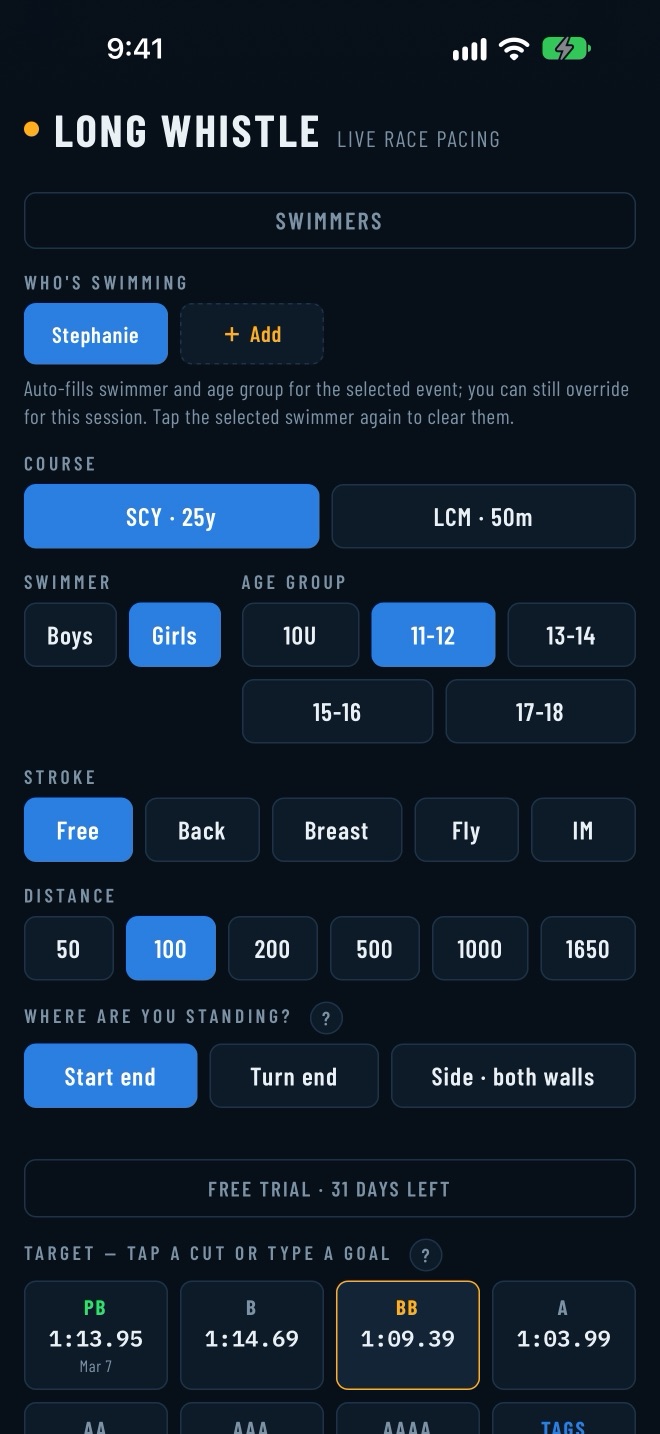
Choose the swimmer, the event, and a goal: a time standard, any time you type, or — with a swimmer saved — their own best. The time standards for the age group are on the same screen, so you can see where their best sits and what the next cut is.
2 · Before the race
Plan it
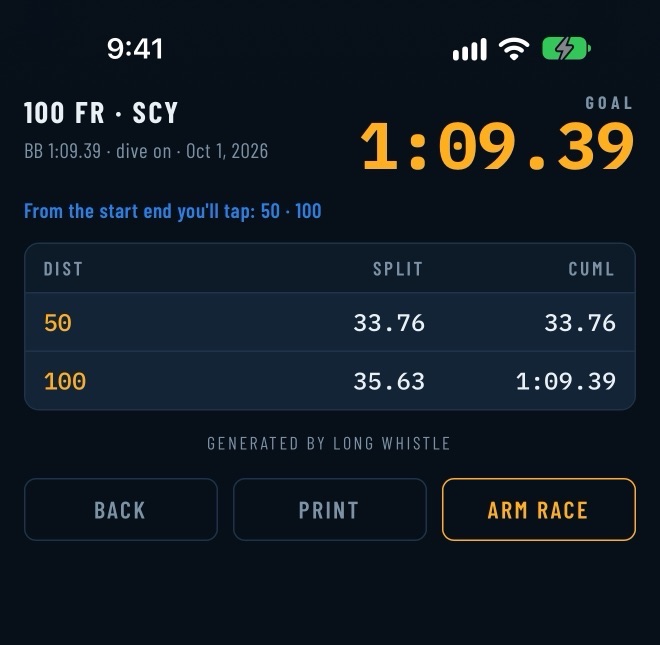
The race plan splits the goal into a target for every wall. Read it on your phone, or print it as a race sheet.
3 · During the race
Tap each wall
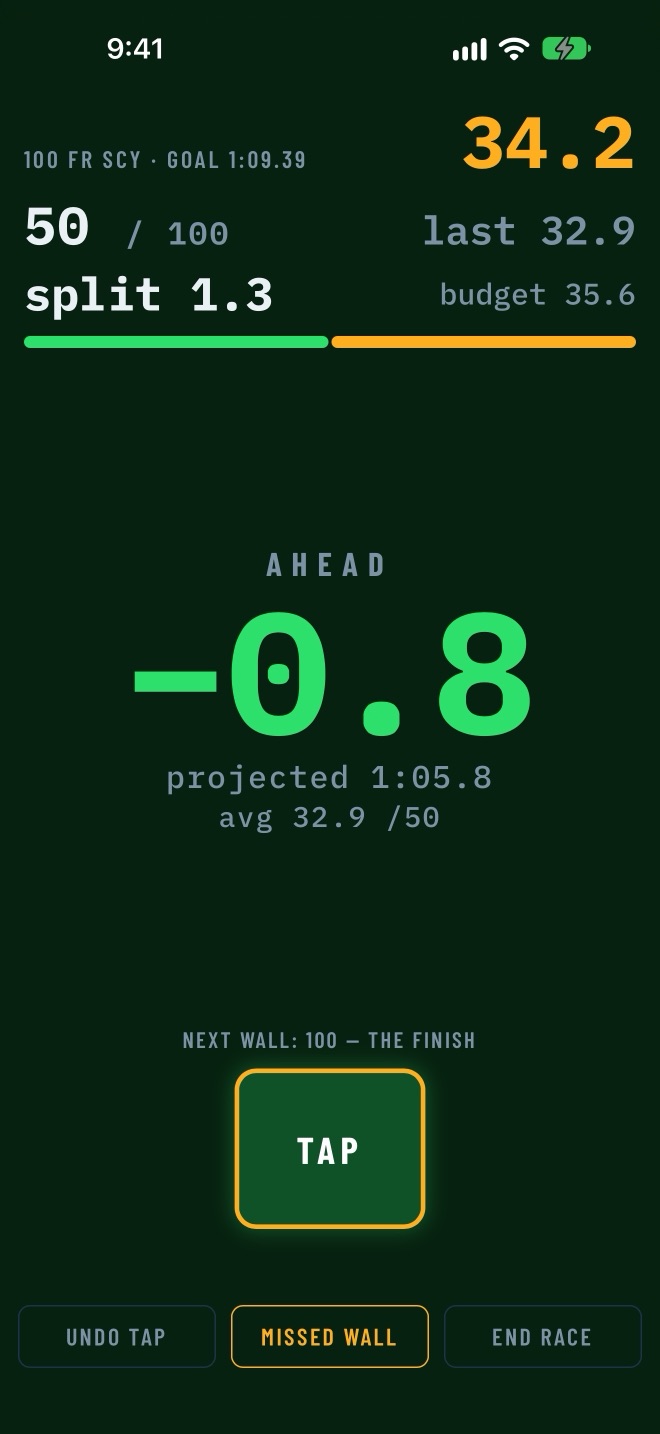
Tap as your swimmer touches or turns, from the start end, the turn end, or the side — wherever you can see. After every tap the whole screen turns green if they are ahead of the goal and red if they are behind, with the gap in seconds and a projected finish.
Missed a wall, or the start? Fix it on the spot without losing the race.
4 · After the race
Read the results
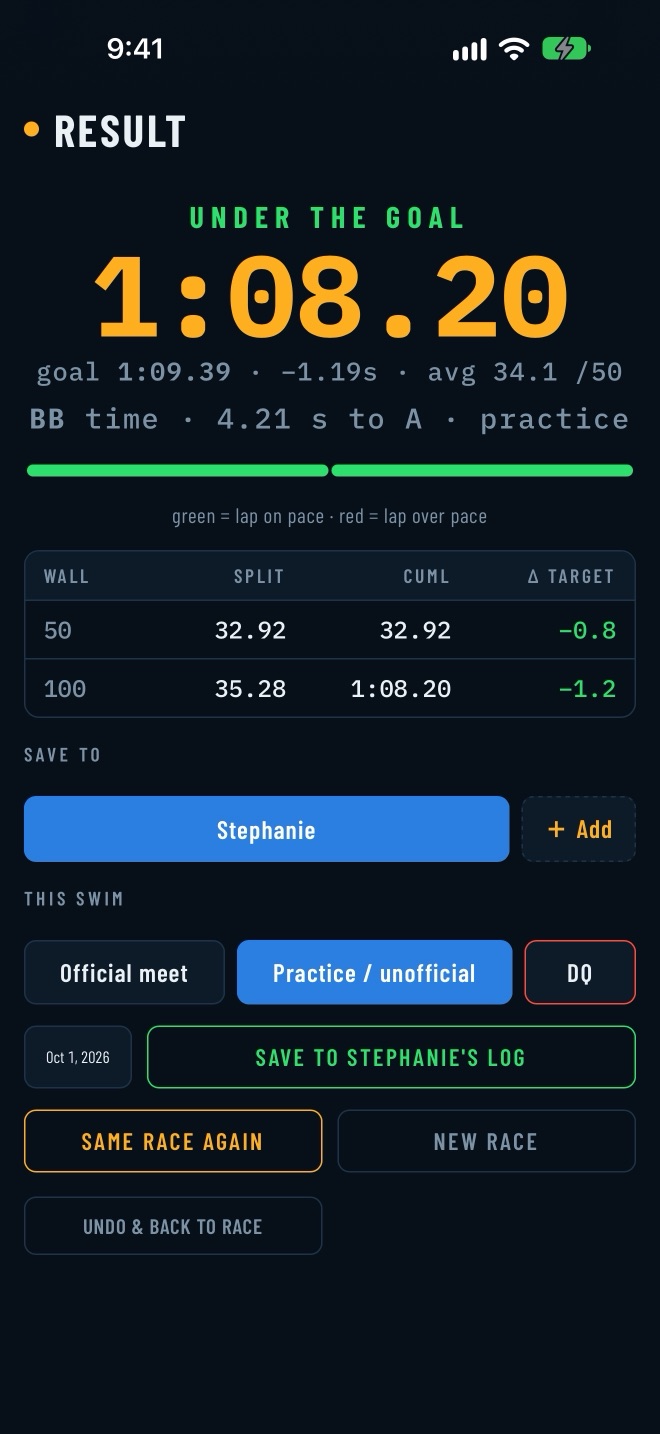
Every split sits next to its target, wall by wall, with a lane-rope bar coloured lap by lap. The results tell you which motivational time standard the swim reached and how many seconds it is to the next one.

With a subscription, save it to your swimmer's log as a meet swim, a practice, or a DQ.
5 · Over the season
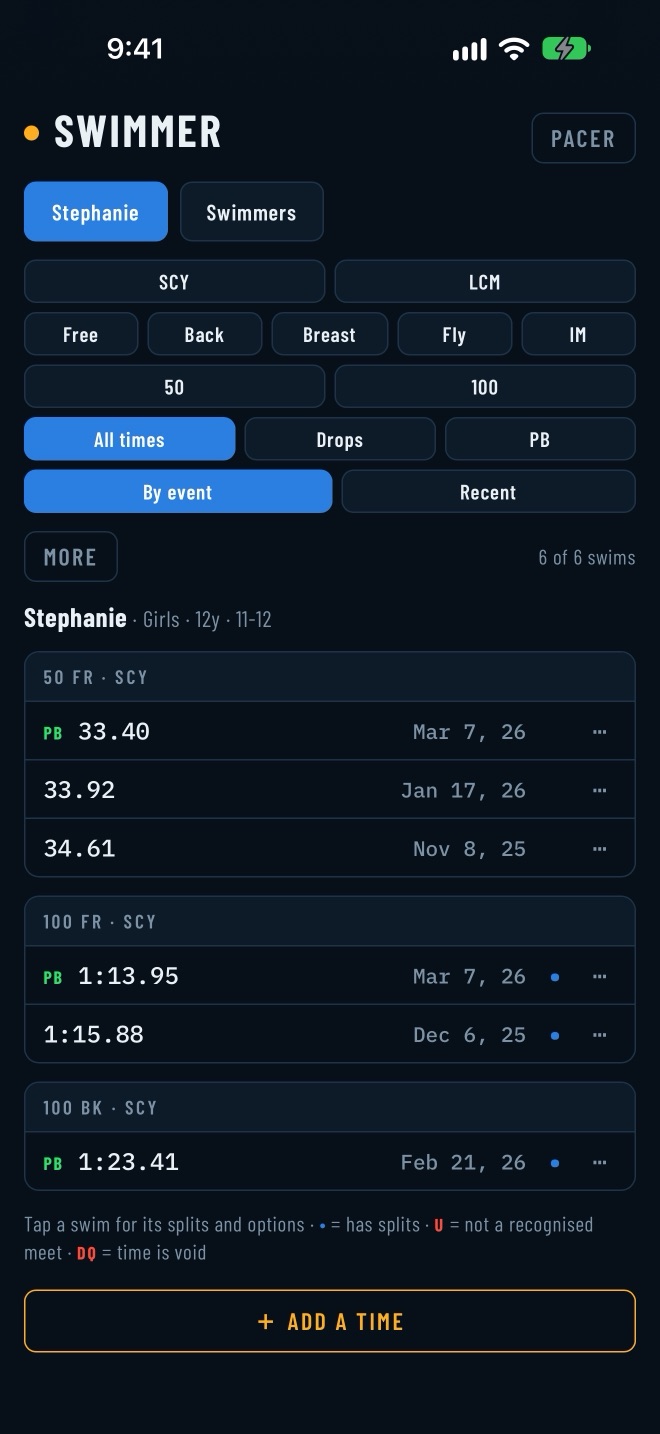
Keep the log
Every saved swim stays in the log. Their best in each event is tagged, and you can see every time they dropped time, in order. Add a time by hand, or import a swimmer's history from meet results and times-history files — the app keeps only your swimmers and leaves everyone else in the file behind.
Back up your whole family's record to one file you control, and restore it on a new phone.
6 · Over the season
Race yesterday’s you
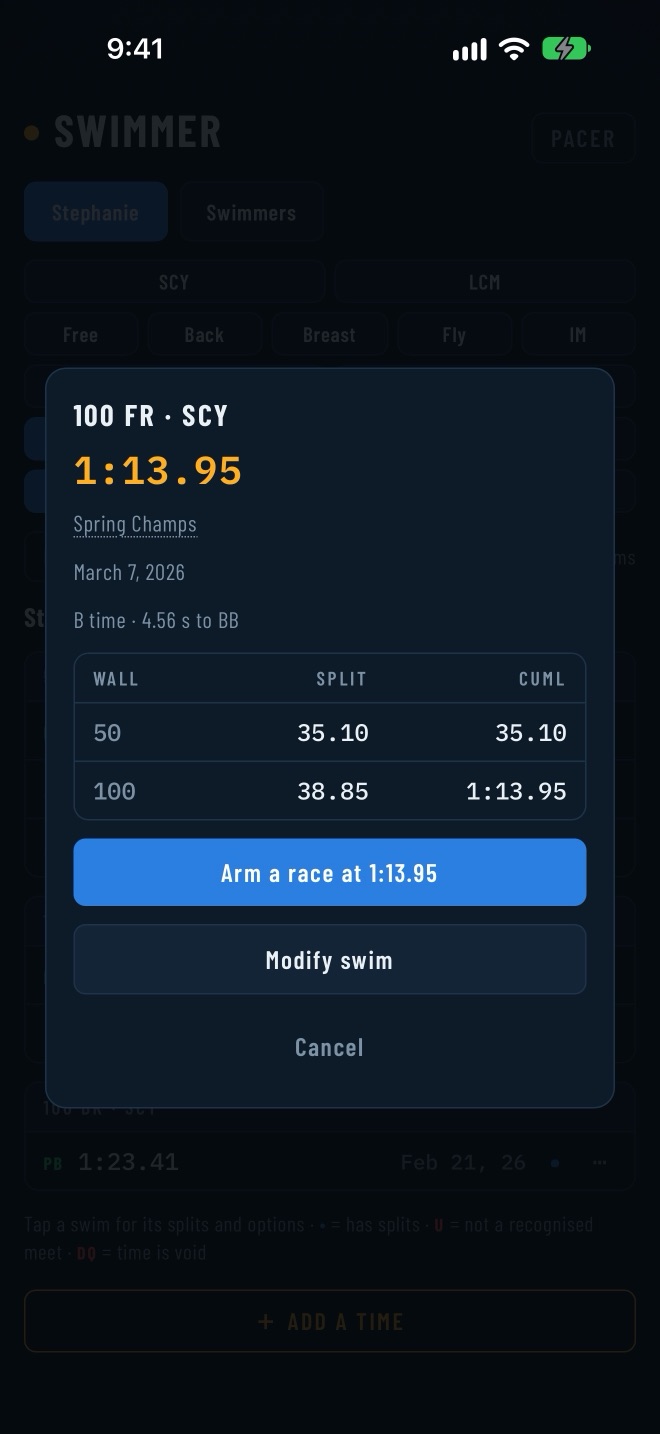
Tap any saved swim to open its split table and the time standard it reached. From there, start a new race paced to that exact time — one of your two free paced races a day, or unlimited with a subscription.
7 · Over the season
Undo a mistake
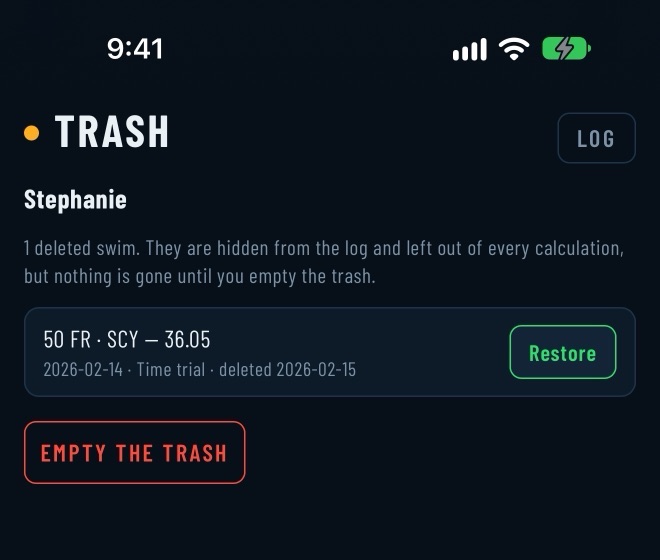
Remove a swim by mistake and it goes to the swimmer’s trash: hidden from the log and left out of personal bests and standards. Nothing is gone until you choose to erase it, and Restore brings it back with one tap.
Remove a swimmer and they wait on the Swimmers screen, where you can restore or erase them.
What it won't do
Long Whistle has no leaderboards, and it doesn’t line your swimmer up against other kids or collect their times. The comparisons it makes are to your swimmer’s own best and the published time standards. It has no account, no ads, and no tracking, and your swims are not sent to us. The details are in the privacy policy.